FordPass is an innovative smartphone app that allows you to interact with your Ford vehicle and access various connected services. Enabled by FordPass Connect, this functionality essentially puts your vehicle's controls and information in your pocket. From remotely starting your car to locating it in the busy parking lot at Southern Park Mall, this app elevates your ownership experience. Our team at #1 Cochran Ford Boardman put together this comprehensive guide to highlight the outstanding features of FordPass and how they enhance convenience and connectivity.
Getting Started With FordPass
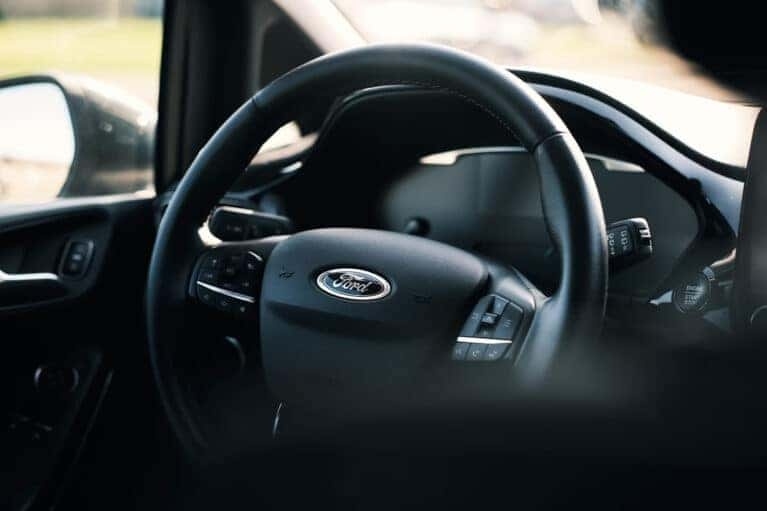
Whether you're an iPhone or Android user, setting up FordPass on your smartphone is a relatively straightforward process.
Downloading and Setting Up the FordPass App
To use FordPass, your vehicle needs to be equipped with FordPass Connect, a standard feature on most 2017 and newer models. Your first step is to download the FordPass app from the App Store (for iOS) or Google Play Store (for Android). After installation, you can create a FordPass account if you don't already have one or log in with your existing credentials. Next, initiate the process by launching the FordPass app and navigating to the "Connect to Vehicle" or "Activate Vehicle" section. The system will ask you to enter or scan your Ford's Vehicle Identification Number, or VIN, which is usually visible on the driver's side dashboard near the windshield or on a sticker inside the driver's doorjamb. Your Ford should be turned off during the initial setup phase.
Activating Your Vehicle
Select "Activate" within the FordPass app, then start your vehicle, ensuring it's in Park. Look for a prompt on the SYNC infotainment screen and accept the activation asking you to allow connectivity. If you don't tap "Allow," you may need to reactivate your FordPass account. Follow the onscreen instructions to complete the process. It can take several minutes for the connection to finalize. Once it's complete, you should see the remote command buttons on the app's home screen.
Maximizing the Features of FordPass
To maximize the FordPass experience, take the time to explore and customize the app's settings, such as notification preferences and location services, which enable you to manage various features and connected vehicle services. FordPass offers a wide range of functionalities that simplify daily commutes in Youngstown and make driving more convenient. FordPass can be a game-changer on Ohio's icy-cold mornings. Before heading to work, you can start your vehicle remotely from inside your home, warm up its interior, defrost the windshield, and even heat the seats and steering wheel in specific Ford models. The app is also a lifesaver on muggy July afternoons, as it allows you to activate the air conditioning and cool the cabin before you get in. And after a big shop at Eastwood Mall, you can unlock your doors when you're approaching with your hands full of groceries without needing to juggle keys and bags. The FordPass app enables real-time monitoring of various vehicle features. You can check fuel levels if you drive a gas model and battery status if it's a hybrid or electric car. The app provides maintenance alerts, helping you stay on top of crucial service appointments, as well as status checks, including tire pressure and oil life. Connected Navigation is available for Ford vehicles equipped with SYNC 4 and SYNC 4A technology, which includes a wide range of models from 2021 onwards. This system allows for cloud-based navigation with real-time traffic updates, construction alerts, and weather information. It also shows business hours and ratings for points of interest. The navigation system can continue working even when you have a weak or lost cell signal, unlike smartphone GPS, which relies on a constant cellular connection. FordPass Rewards is a free, nationwide loyalty program for Ford owners that allows you to earn and redeem points for various Ford-related services and purchases. There are three tiers: Bronze, Silver, and Blue. Each offers increasing benefits, including bonus points on Ford Service and discounts at Shell stations. You can use points toward routine services and repairs, accessories, and parts at participating Ford dealerships, including our #1 Cochran Ford Boardman location. Reward points expire after 24 months of inactivity if you have the FordPass Rewards Visa card or 18 months without it.
Troubleshooting Common FordPass Issues
FordPass connection problems can manifest as missing or inaccurate vehicle information on the "Home" tab, including issues with charge levels, distance estimates, or blank spaces where data should be. These issues may stem from connectivity problems between the app and your vehicle's modem or incorrect app settings. To troubleshoot FordPass issues, start by ensuring the app is up to date and your device has a stable internet connection. If this doesn't resolve the problem, try logging out and back into the app, or delete and reinstall it after rebooting your device. Ford's over-the-air updates are quick and convenient, with many taking less than two minutes to install. They're transmitted wirelessly via cellular or Wi-Fi connections and can address a wide range of vehicle systems and features without requiring you to visit a dealership. To manually update your Ford SYNC system using a USB drive, visit the Ford website and enter your vehicle's VIN to identify your vehicle and available updates. Download the update file, transfer it to a USB drive, and follow the onscreen instructions. FordPass Guides are available to assist you with app-related concerns Monday through Saturday from 9 a.m. to 9 p.m. EST. You can reach them through the FordPass app or by calling the support line on 1-800-336-0486. The app tracks your vehicle's location, but you can turn off FordPass vehicle tracking by disabling location services on your device. It's also possible to manage your data sharing preferences, allowing you to control what information is shared with Ford.
Utilize the FordPass App to Improve Your Ford Experience
FordPass puts key functionalities at your fingertips, enabling remote vehicle control and providing other convenient features via your smartphone. Experience this innovative connected service firsthand today. Our #1 Cochran Ford Boardman dealership is your go-to destination for new and used Ford vehicles, service, and parts. Our extensive inventory includes a wide range of models equipped with FordPass Connect. Call us at 330-272-0225, contact us online, or visit our showroom in Youngstown, Ohio, to schedule an appointment. We'll guide you through our vehicles, including the advanced connectivity features accessible through the FordPass app, to help maximize your Ford ownership experience.